
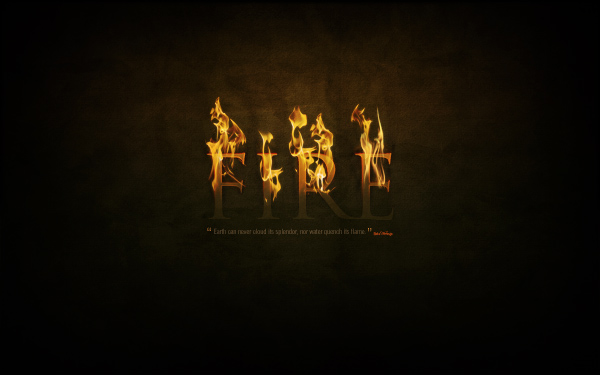
Photoshop paint brushes are a cool thing if you know how to use them. In this photoshop tutorial I have provided a step by step guide on how to make amazing wallpapers by just using Photoshop paint brushes. I have included the paint brushes and the photoshop file (psd) that I used in this Photoshop tutorial in the download section below if you wish to download them.
Tampilkan postingan dengan label Tutorial Photoshop. Tampilkan semua postingan
Tampilkan postingan dengan label Tutorial Photoshop. Tampilkan semua postingan
Jumat, 01 April 2011
How to Make Amazing Wallpapers Just using Photoshop Paint Brushes Quickly

Rabu, 16 Maret 2011
Icey Styles in Photoshop

In this tutorial, we’re going to create an icey-cold effect using layer styles and that you can apply to different objects. Then we’ll put it on a nice background to give it some kick. You can download the PSD file at the bottom of the tutorial if you’d simply like to copy+paste the layer styles.
Dramatic Text on Fire Effect in Photoshop
Swirl Text Logo

This tutorial is a result of a few filters and tricks. Useful for creating a unique logo for your website..
| Start a new document and fill the background with black. |
Graffiti with Photoshop

Step 1
Find yourself a nice photo of a wall to put your logo on (i found this image on the internet with Google Images). Every image is suitable if there is a suitable structure (no smooth walls!).
Advanced Glow Effects

In this tutorial, we’re going to create some really sharp-looking glow effects using a combination of layer styles, the Pen Tool and Color Blending. The end effect is quite stunning and hopefully you’ll pick up some tips you didn’t know before.
Colorful Glowing Text Effect in Photoshop

Step 1 – Choosing a Background
For the best results with this effect, you’ll want to use a dark background.
Selasa, 15 Maret 2011
Simple, Sleek & Stylish Text Effect
In this short and simple tutorial I’m going to teach you how to make a very stylish, sleek text effect, like the example I’ve shown in the below image.

Langganan:
Postingan (Atom)